

Set ticket attributes
Ticket attributes can be set with the method below. If the user also provides data for an attribute (for example description), the user input will be prioritized.
C#
Gleap.SetTicketAttribute("title", "Developer title");First param: attribute key
Second param: value (string, boolean, string array or number are supported)
Ticket attribute data will not be pre-filled in forms.
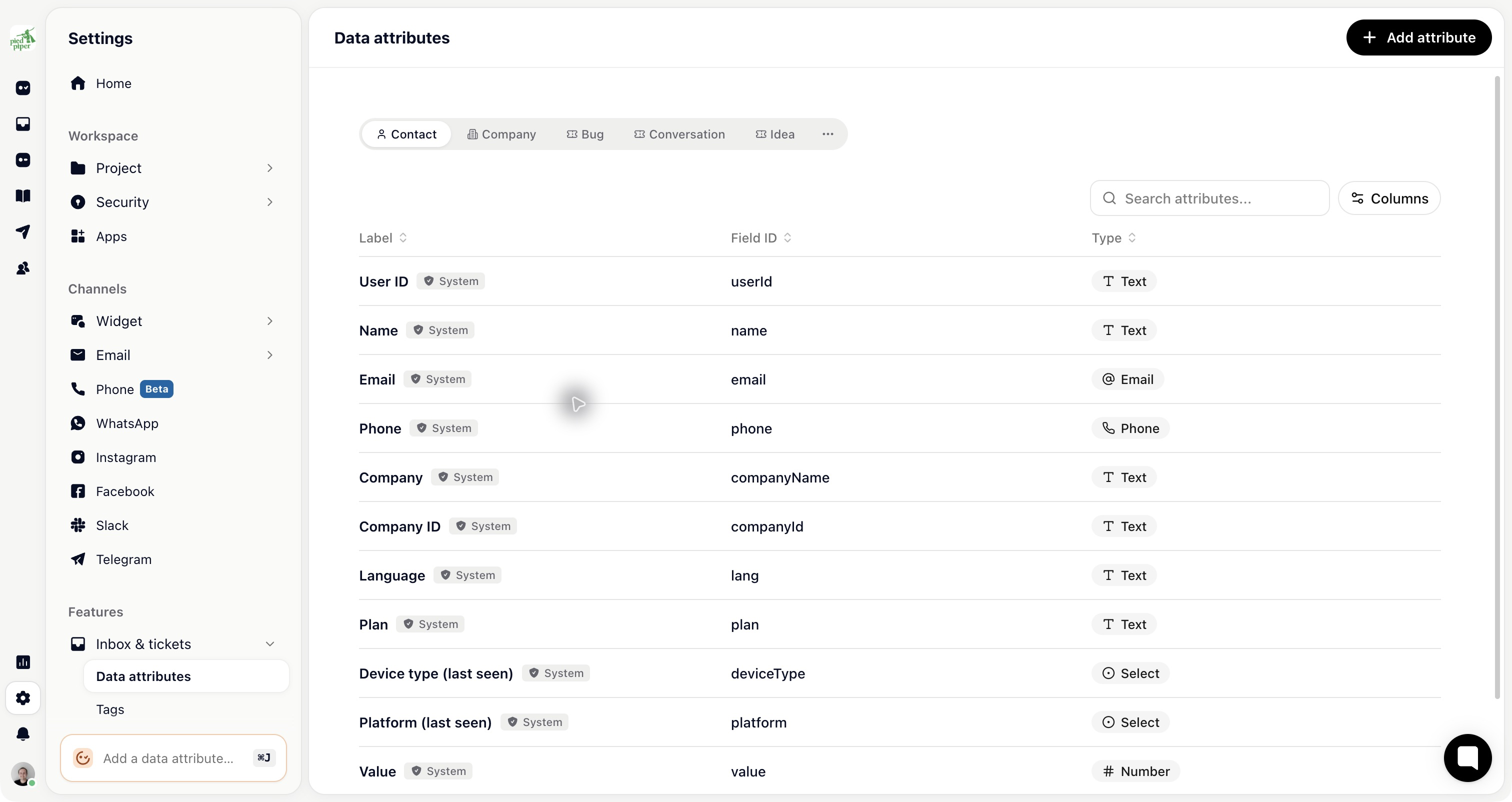
Finding the ticket attribute keys
You can find or create all available ticket attributes for each ticket type in Settings → Inbox & tickets → Data attributes.
Unset ticket attributes
C#
Gleap.UnsetTicketAttribute("title");Clear all ticket attributes
C#
Gleap.ClearTicketAttributes();