

Gleap allows you to create micro surveys to be run directly in your Gleap widget. We offer templates for some of the most common survey types, such as NPS scores, product market fit or product satisfaction.
Sending surveys with triggers
Usually customers use triggers to send surveys. Example use cases for that include:
Sending surveys after a certain amount of time
Sending a survey on a certain page
Sending a survey after a specific event happened
...
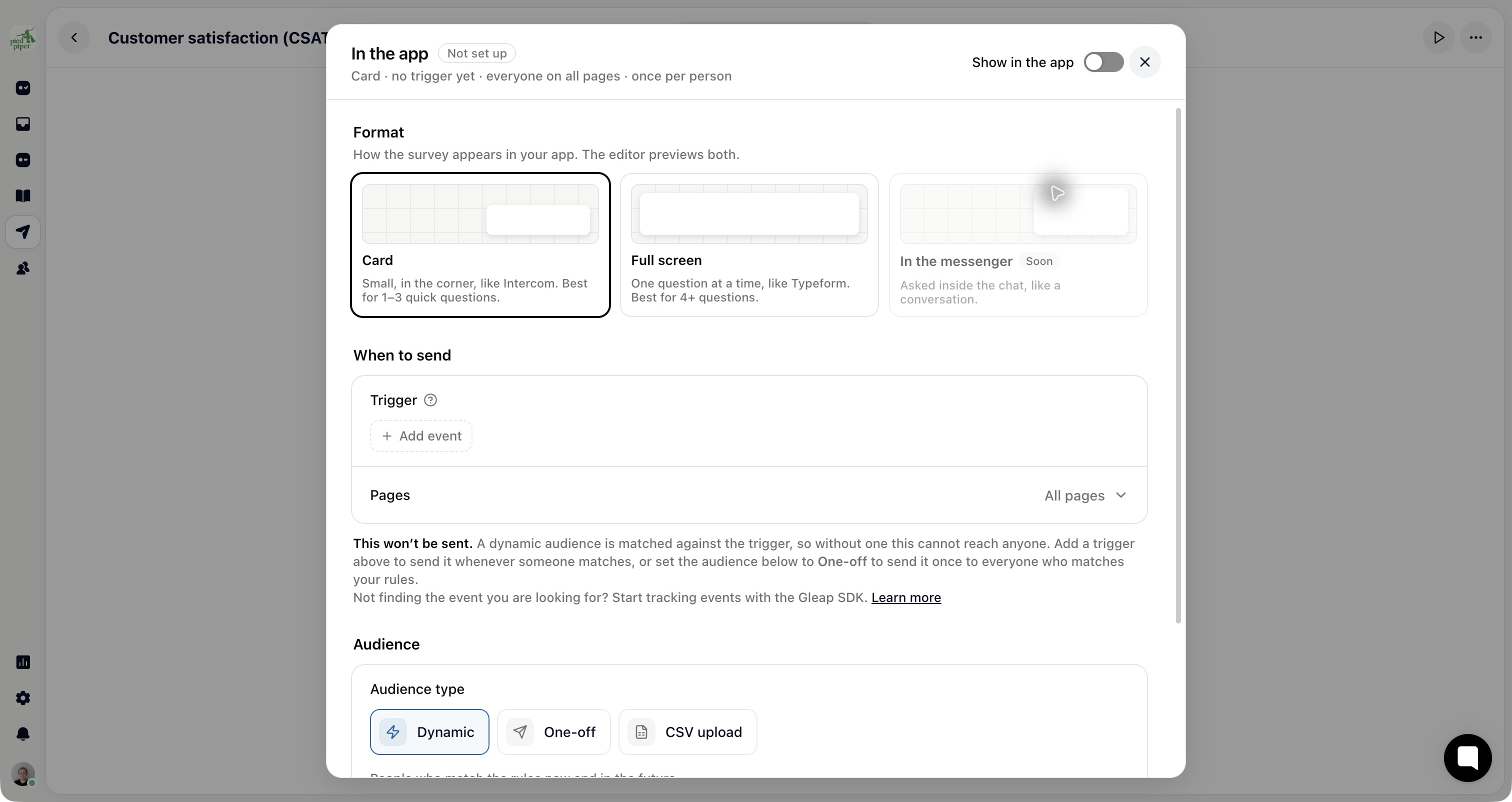
After your app has tracked an event, open Outreach → Surveys, select the survey, then Share → In the app and configure its audience and trigger. Use the SDK’s event method to provide the event your trigger matches.
Manually sending surveys
Show a survey from code with its survey id (Share → In the app in the survey editor shows it):
Gleap.showSurvey("survey-id");Options
Pass an options object as the second parameter:
Gleap.showSurvey("survey-id", {
  format: "full",
  fields: { plan: "pro", source: "upgrade-flow" },
});
format 'card' | 'full' | 'page'
card (default): compact card in the corner, bottom sheet on phones. full: Typeform-style full screen. page: the survey fills container (inline embed).
fields Record<string, string>
Values for the survey's hidden fields, stored with the response and usable in logic and question text.
container HTMLElement
With format: "page": the element the survey renders into. Defaults to document.body.
personalToken string
A personal link token that attaches the response to a known contact.
resume boolean
Continue an unfinished response of this survey on this device where the person left off.
Embed a survey inline in your page:
Gleap.showSurvey("survey-id", {
  format: "page",
  container: document.getElementById("feedback"),
});
Survey events
Listen to survey-shown, survey-step-viewed, survey-answered, survey-completed and survey-closed with Gleap.on. A completed survey also fires feedback-sent (the answers by question key) and outbound-sent ({ outboundId, outbound, formData, surveyId, responseId, endingId, status: "completed" }) once, as a sent survey always did, and the SDK tracks outbound-<surveyId>-submitted. To push survey events into Google Analytics 4, Google Tag Manager or Meta Pixel, see Send survey events to your analytics.
Legacy format string
The previous signature keeps working:
Gleap.showSurvey("survey-id", "survey");      // same as { format: "card" }
Gleap.showSurvey("survey-id", "survey_full"); // same as { format: "full" }
survey and survey_full are deprecated aliases of card and full. The native SDKs (iOS, Android, React Native, Flutter, Capacitor, Cordova) keep showSurvey(id, format) with their format constants.Send surveys with URL parameters
You can also open surveys with URL parameters. This is useful if you want to send surveys to specific users. For example, you can send a survey to a specific user by sending them a link like this:
https://yourapp.com/?gleap_survey=\{your-survey-id\}&gleap_survey_format=\{survey\}Please replace {your-survey-id} with your survey id and {survey} with the survey format: survey (card, default) or survey_full (full screen).