

Gleap allows you to create micro surveys to be run directly in your Gleap widget. We offer templates for some of the most common survey types, such as NPS scores, product market fit or product satisfaction.
Sending surveys with triggers
Usually customers use triggers to send surveys. Example use cases for that include:
Sending surveys after a certain amount of time
Sending a survey on a certain page
Sending a survey after a specific event happened
...
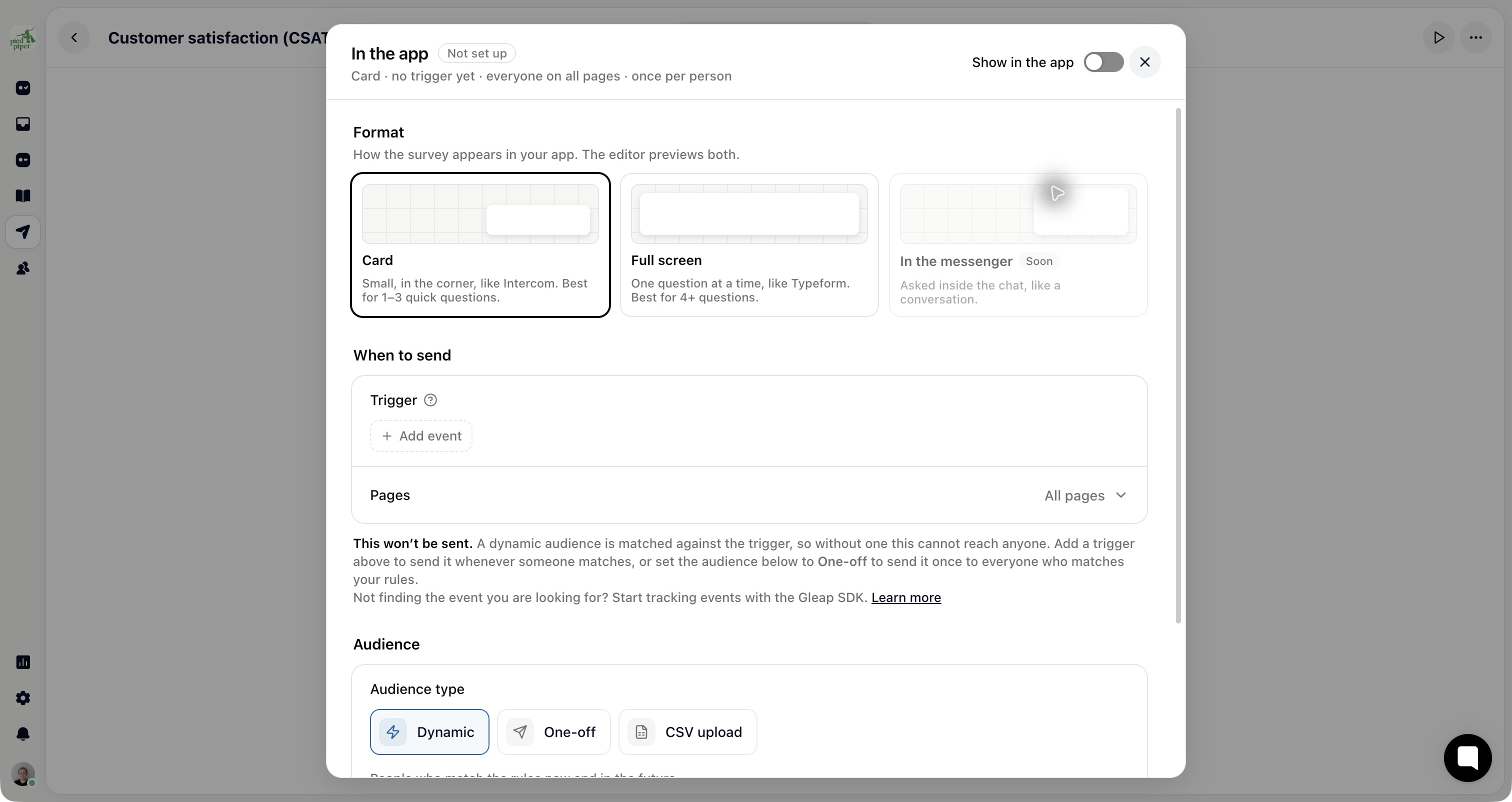
After your app has tracked an event, open Outreach → Surveys, select the survey, then Share → In the app and configure its audience and trigger. Use the SDK’s event method to provide the event your trigger matches.
Manually sending surveys
You can also manually send surveys to your users. For this you only need to call the following method:
Gleap.getInstance().showSurvey(surveyId, SurveyType.SURVEY);The first parameter is the survey id, the second parameter is the format of the survey. The format can be either SurveyType.SURVEY (default: card style survey) or SurveyType.SURVEY_FULL (full screen survey).

Survey callbacks
When a Surveys 2.0 survey is completed, the SDK's existing callbacks fire once, as they did when a survey was sent: feedback sent (iOS feedbackSent:, Android FeedbackSentCallback) and outbound sent (iOS outboundSent:, Android OutboundSentCallback), and the SDK tracks the outbound-<surveyId>-submitted event your targeting rules can use. Opening the survey fires flow started and widget opened, closing it widget closed. This works on SDK versions released before Surveys 2.0 too; the answers are saved as the user goes, so no ticket is created.
Field | Value |
|---|---|
| The answers by question key, e.g. |
| The survey id. |
|
|
| The response ( |
A survey closed before the end fires only widget closed; partial answers are still saved. The per-step events (survey-shown, survey-answered, survey-completed, survey-closed) are available in the JavaScript SDK.